Need help? Check here
Check out some of the frequently asked questions
Download EstateGo, choose "Facility Manager" during registration, then add your properties via dashboard
You’ll input property address, images, unit types, and other details
After registering and adding your property, the system will generate a unique property code for you. Simply copy this code and share it with your tenants, vendors, or security personnel. Once they sign up on the EstateGO app, they can use the code to join and access your property.
Yes — EstateGo supports managing more than one property from a single account
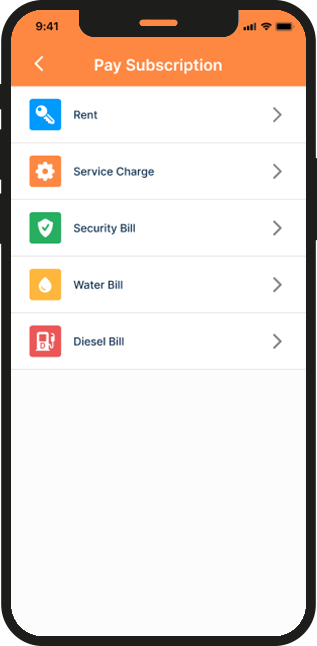
First select the apartment, then go to the Billings tab and click Add Bill/Payment. Enter the bill type (e.g., rent or service charge), set the payment interval, enter the amount, mark the checkbox to enable the payment type, and finally click Submit.
From your dashboard, select your property Scrol down to locate vendors on the overview Select vendor Click approve to approve the vendor
Yes — push notifications is enable.
They use the “Maintenance” section to log issues and upload photos.
To view and manage maintenance requests, select the property from your dashboard, scroll down to Maintenance, and click to see all requests along with any photos submitted by residents.
Yes — view and manage past requests by date or category.
They will use the in-app chat to contact you.
Yes — you can post messages via the announcements section of the app.
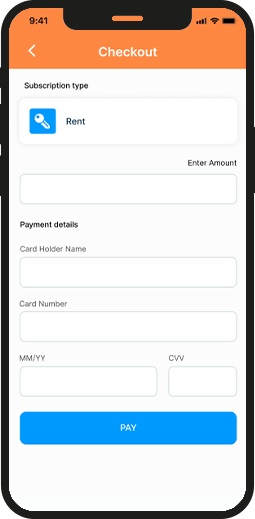
Yes — payments can be made securely through the estatego app.
Yes — electricity vending and subscriptions for tenants can be tracked.
Yes — check individual accounts in payment section.
Yes — Property Owners/Facility Managers can ban vendors on the app.
Download EstateGO for Free
Get instant access to the EstateGO app on both the Apple App Store and Google Play Store! Manage your properties, stay connected, and simplify your tasks—all in one app. Download now and experience seamless property management at your fingertips!